Design it. Cut it. Quote it.
PanelCraft is cabinet design software: draw any panel furniture, get the cutting layout with kerf and grain, and send a quote you can check line by line.
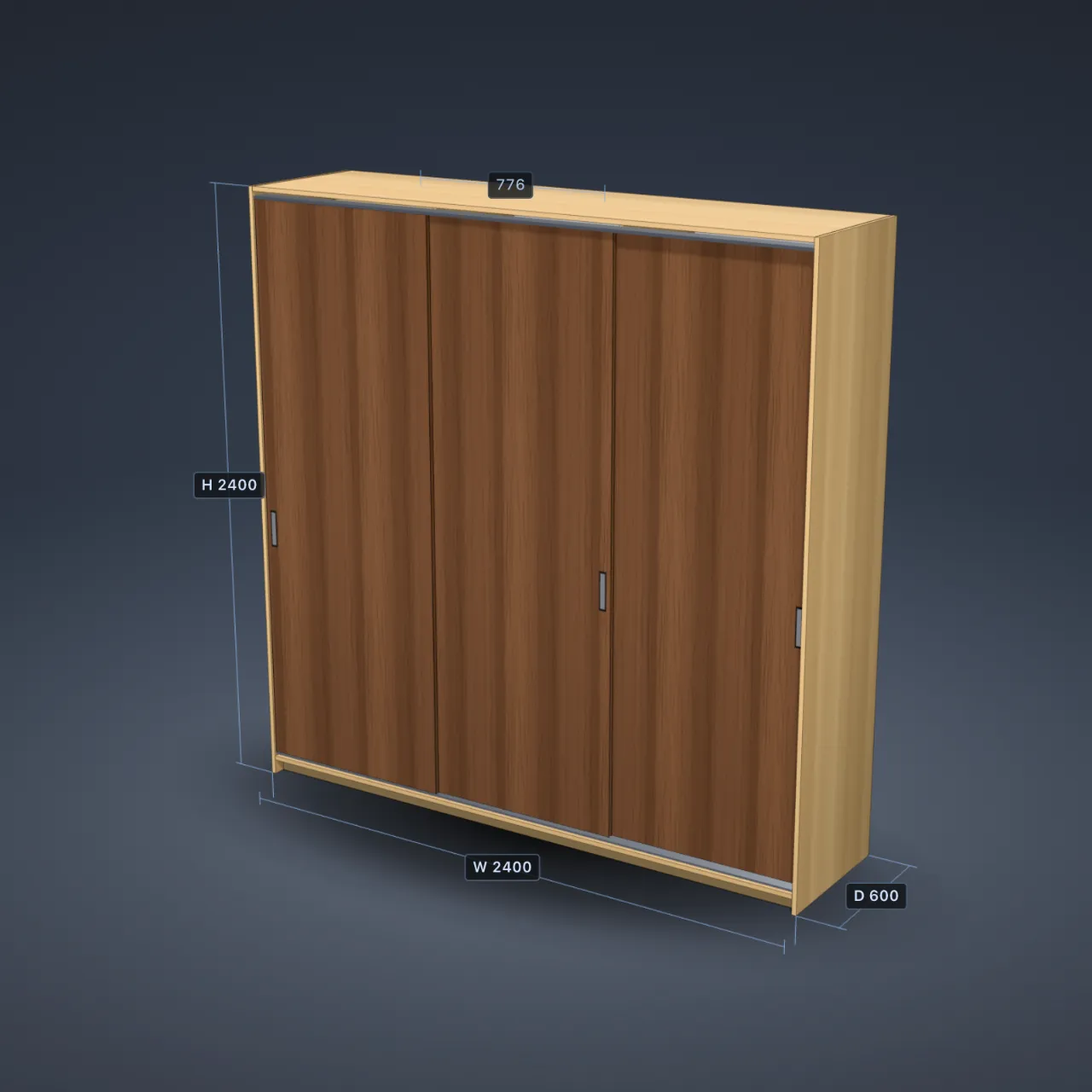
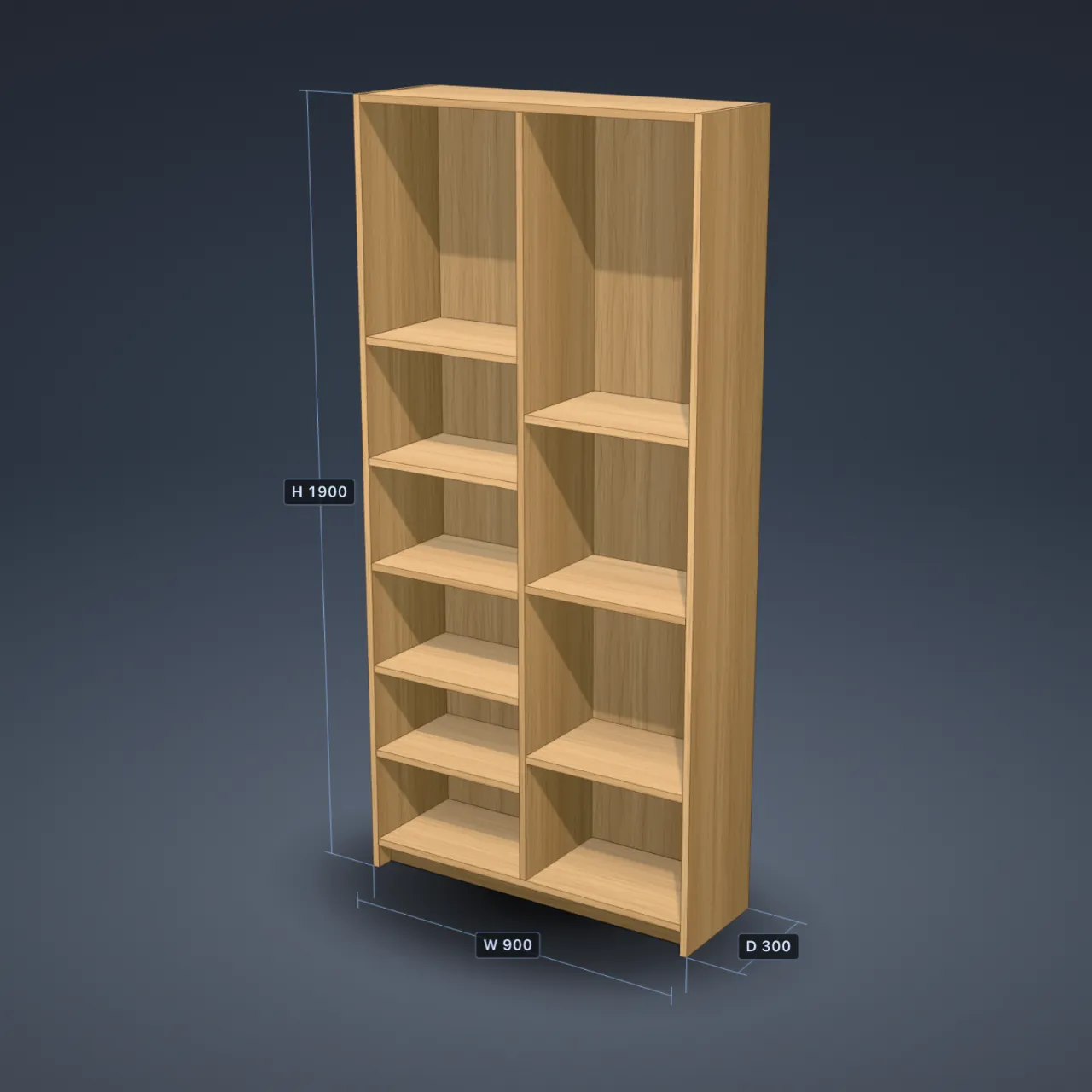
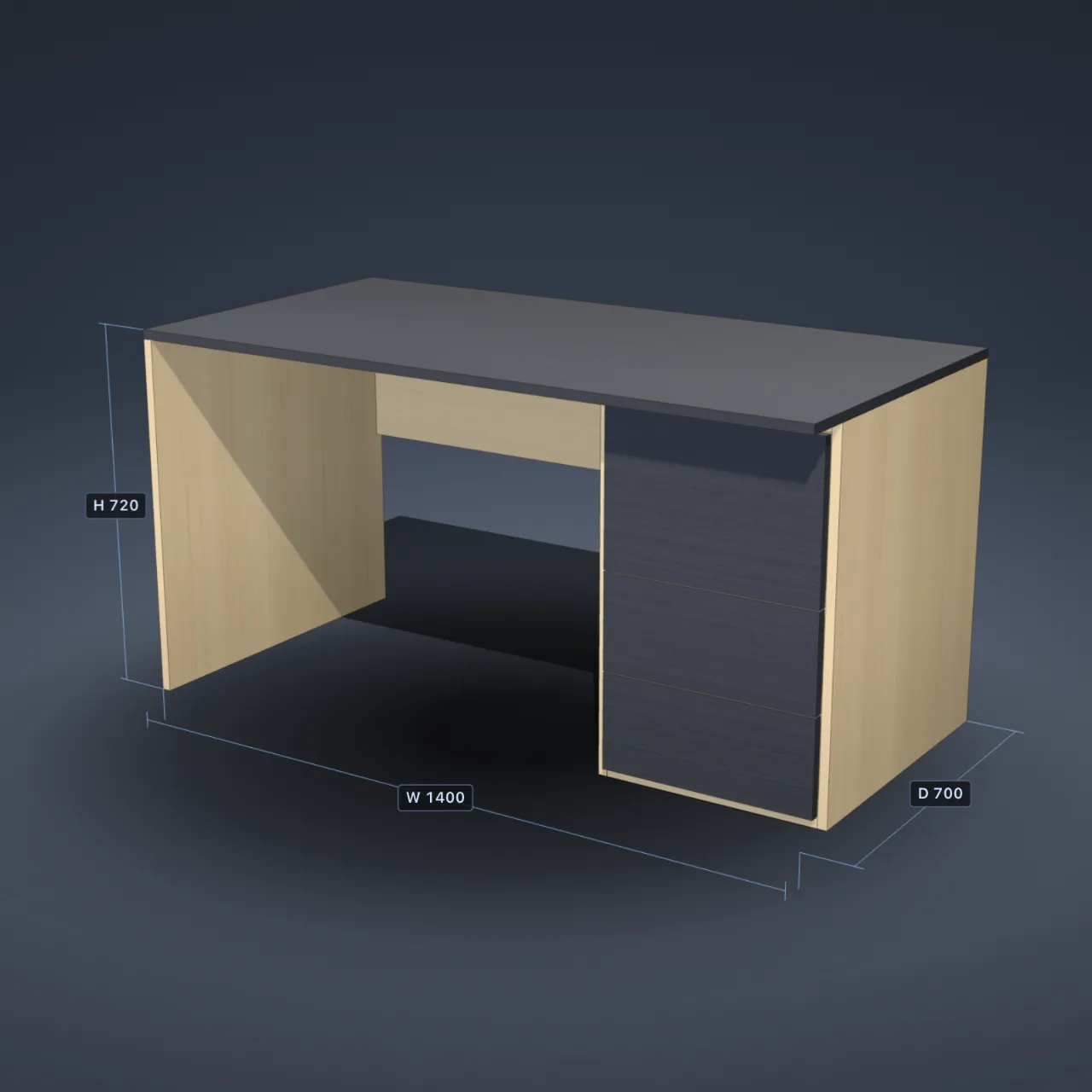
Change the width. The boards re-cut.
Compartments 3
7sheets
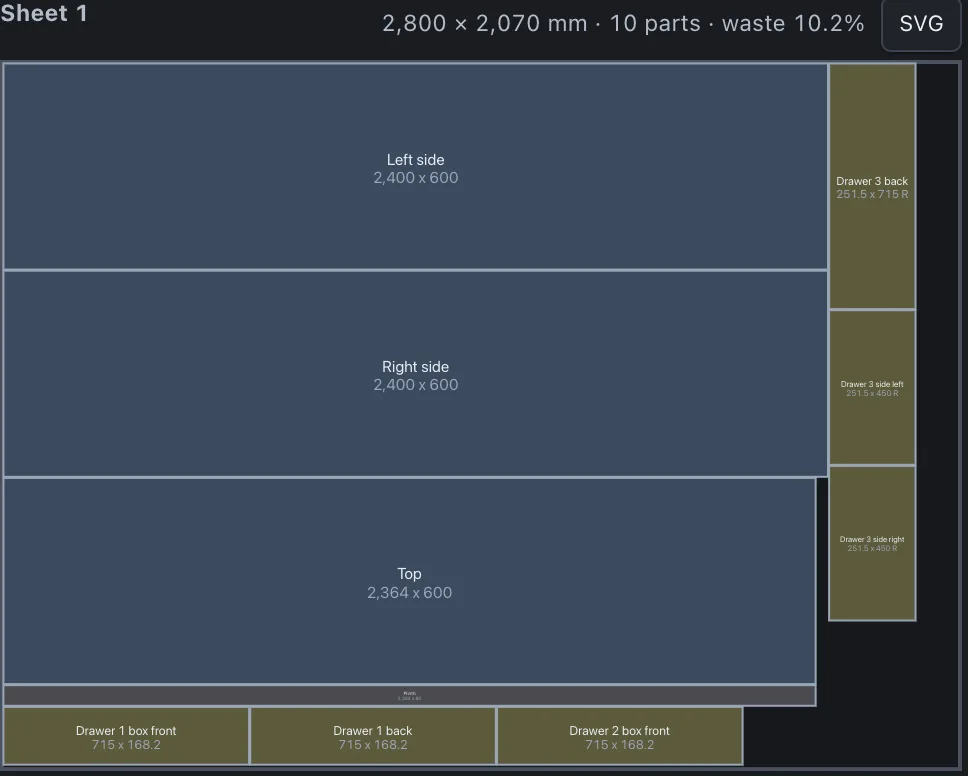
Output of the PanelCraft cutting engine: 2800 × 2070 mm sheets, 3.2 mm saw kerf, 10 mm trim. Three shelves per compartment, one compartment for every 900 mm of width.
What it does
Draw any piece, not only presets.
Rotate, shape and snap panels freely. Wardrobes, TV units and chests of drawers start from parameters.
Boards are laid out for you.
Kerf, trim and grain direction are respected. Offcuts go to stock and are used on the next job.
The price follows every change.
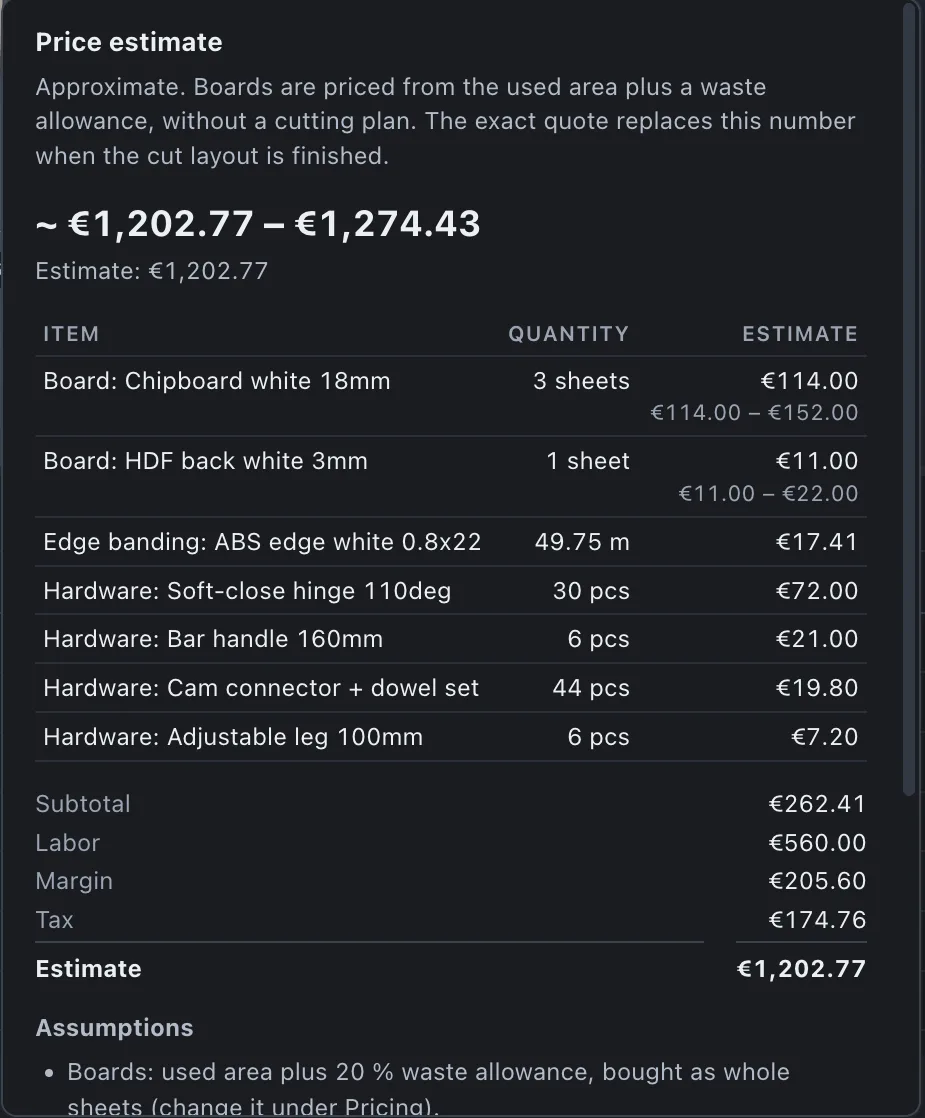
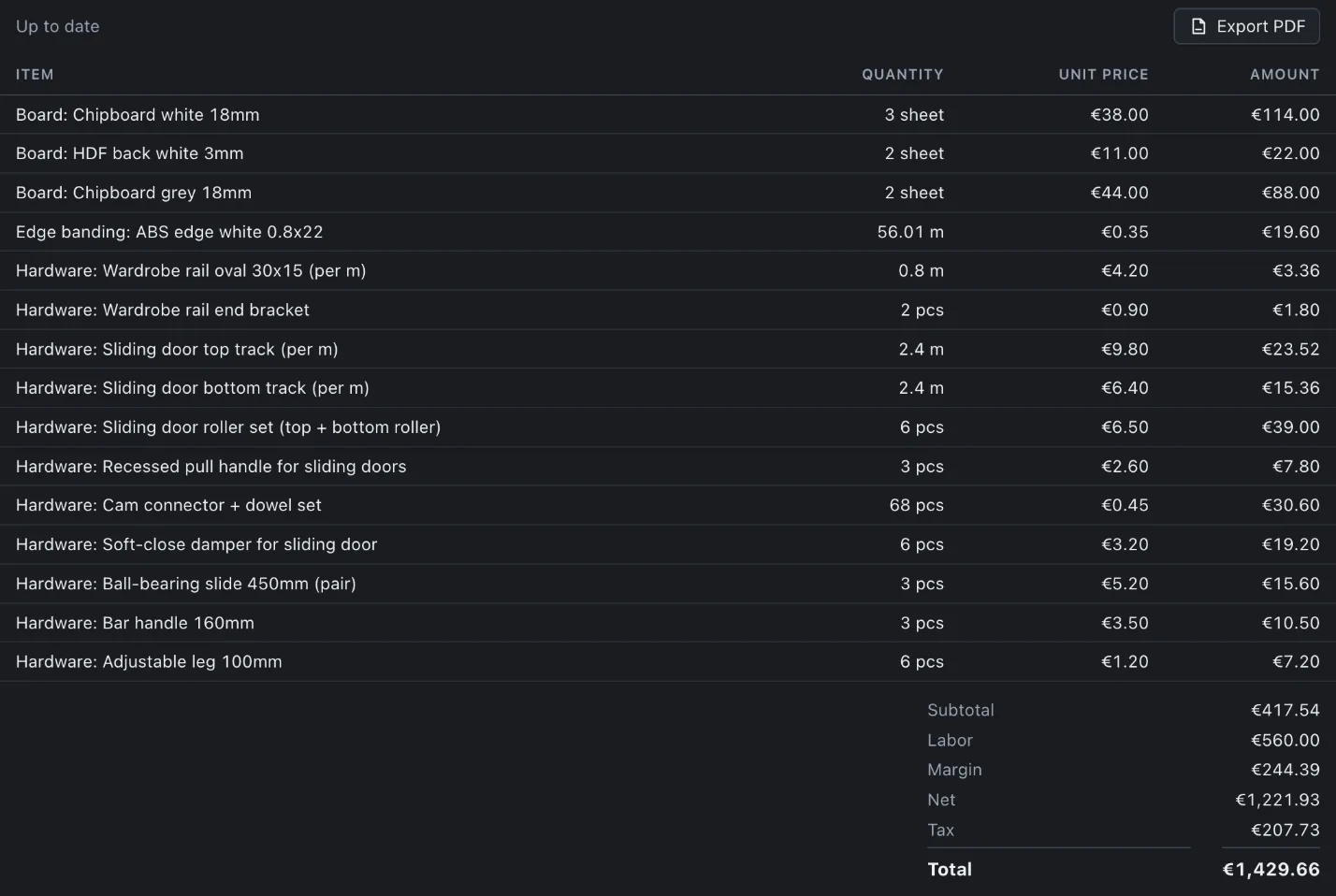
A range while you draw, the exact quote once the cut layout is current.
Supplier prices import in minutes.
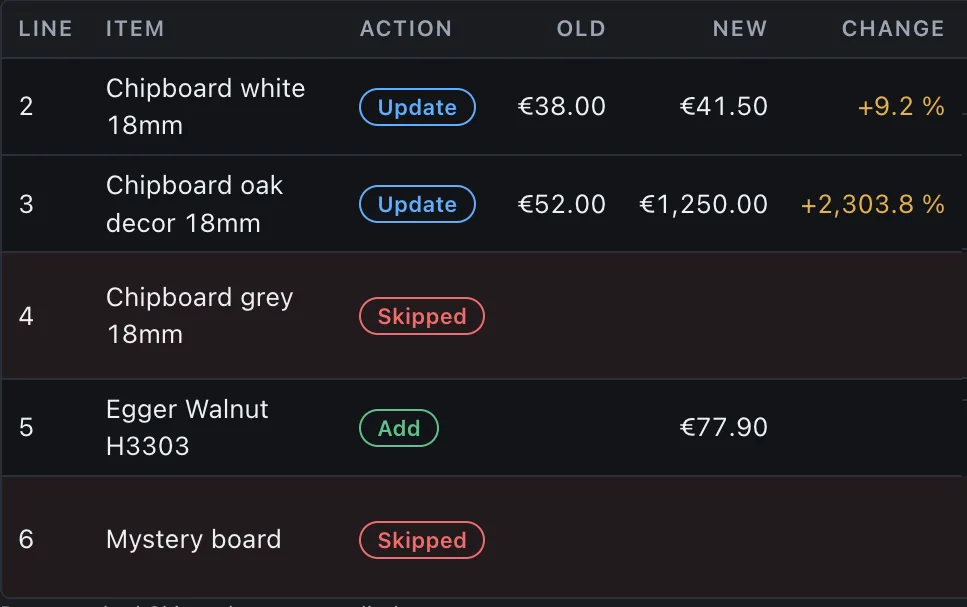
A CSV price list shows every change, old price to new, before anything is applied.
Drawings and machining files come out.
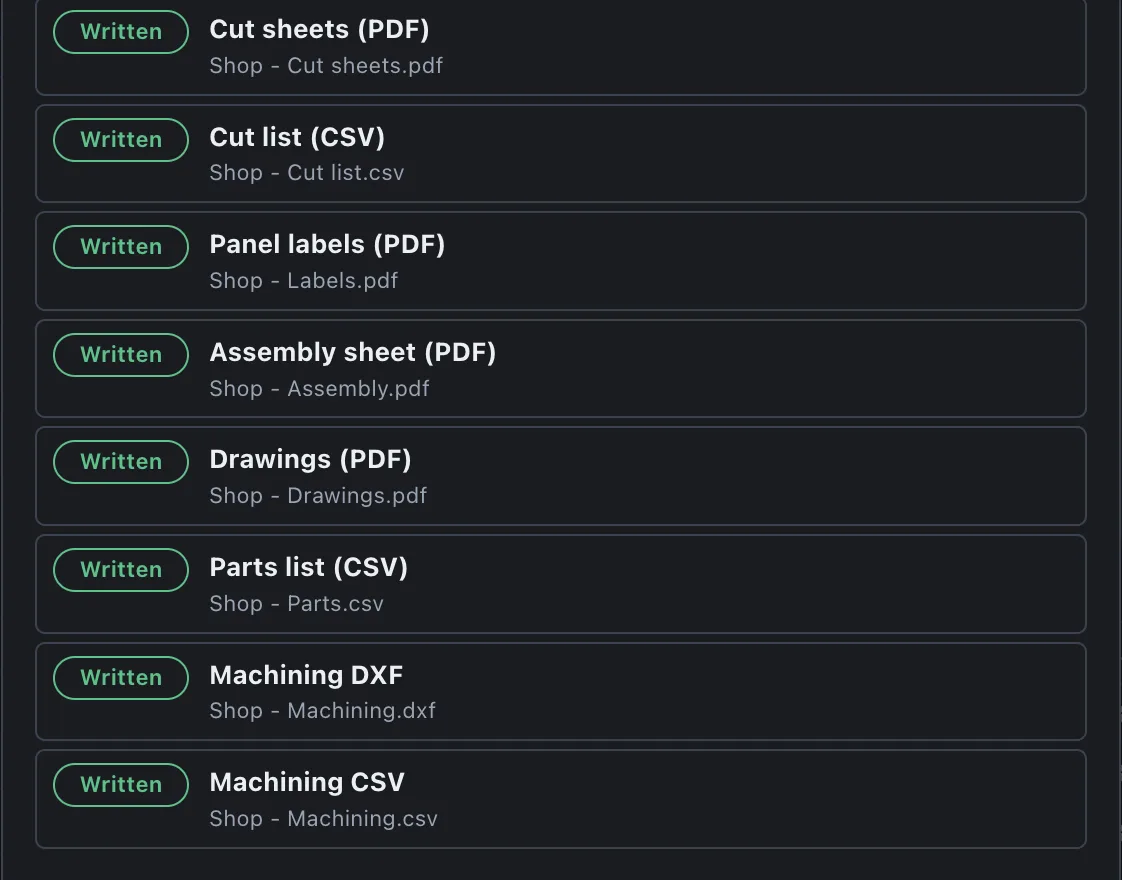
PDF drawings, assembly sheets, labels, CSV lists, and DXF files for machining.
Everything in PanelCraft
Design
- Free drawing of any panel furniture
- Rotate panels; trapezoid, cut-corner and notched shapes
- Snap to panels and to the spaces between them
- Collision check between panels
- Array and mirror generators
- Builders: carcass, split, shelf, doors, drawers, sliding doors, hanging rail, back panel, plinth, corner unit, L-desk
- Parametric wardrobes, TV units and chests of drawers
- Templates: bookcase, desk, corner unit, L-desk, sliding-door wardrobe
- Undo and redo
Cutting
- Guillotine cutting layout with saw kerf, trim and grain direction
- Several sheet formats, the cheapest combination chosen
- Offcut stock, reused on the next job
- Cut sheets for every sheet, with part names and sizes
Pricing
- Live price range while you draw
- Exact quote once the cut layout is current
- Boards, edge banding per edge, hardware per piece or per metre
- Labour, margin and tax
- Supplier CSV price lists, every change reviewed before it applies
- Warning when the price list is old
- Libraries of boards, edge banding and hardware
Materials and look
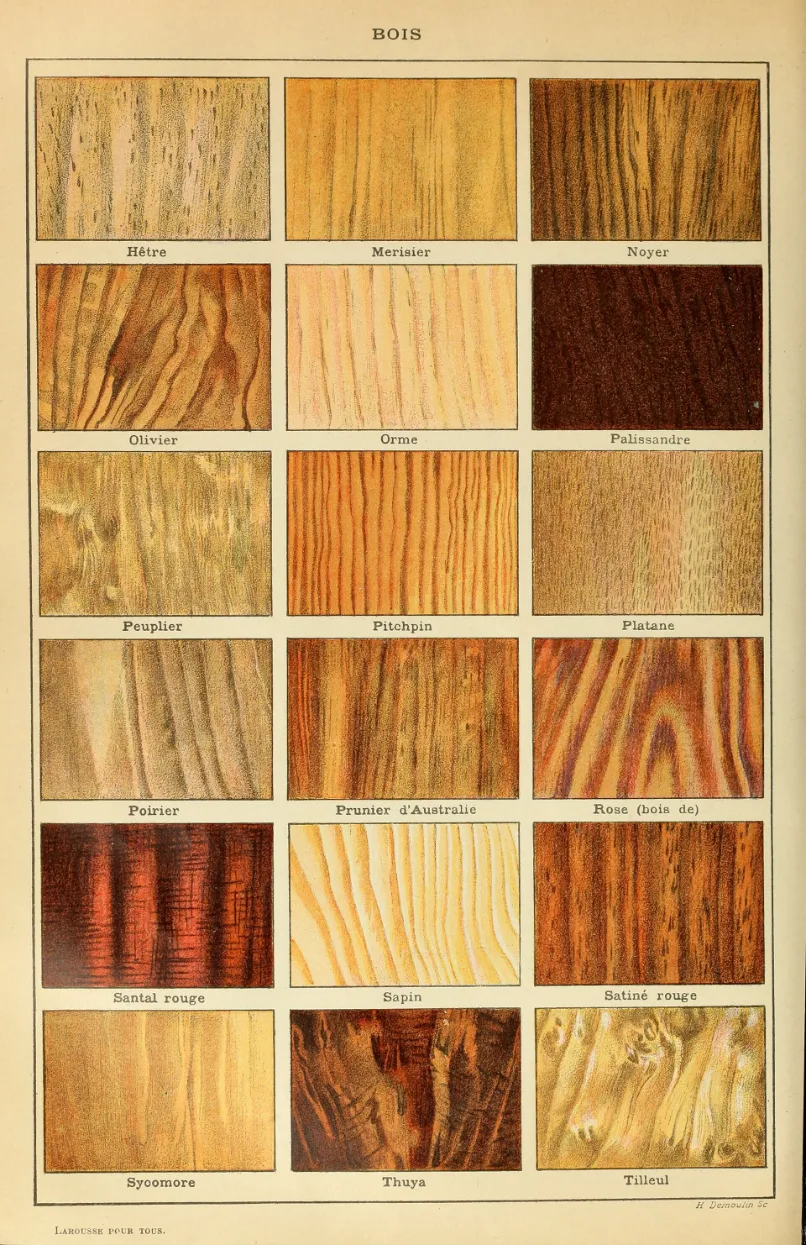
- Colour and texture per board, at real scale in 3D
- Grain runs the way the part runs
- Import single images or whole folders
- Generic decors included
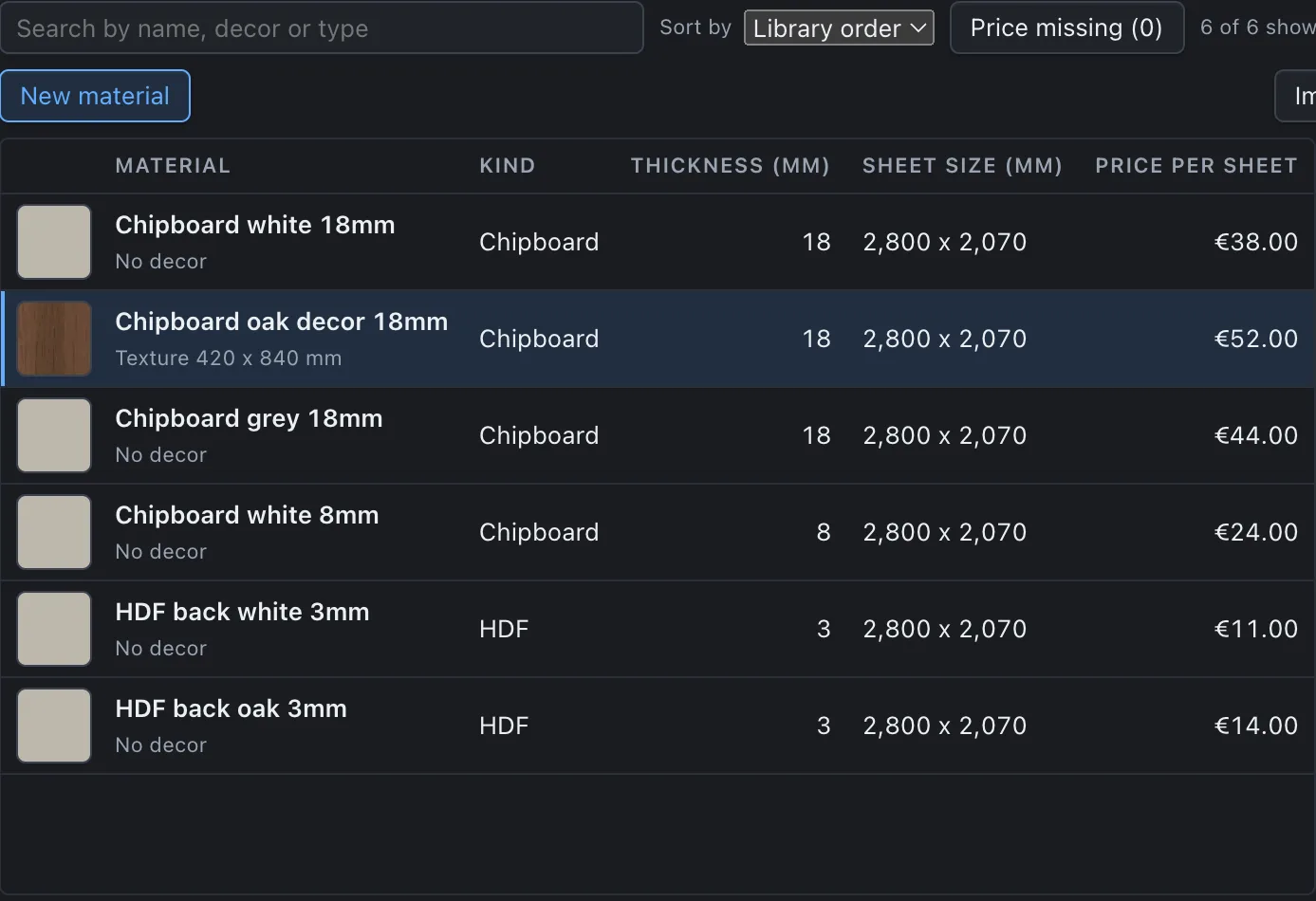
- One materials list with search, sort and duplicate
Documents
- Quote as PDF
- Technical drawings: front, side and plan
- Assembly sheets
- Panel labels
- Cut sheets, plus CSV parts and cut lists
- Client pack and workshop pack in one click
Machining files
- Neutral DXF and CSV files
- Hinge cups, 32 mm system holes for shelf pins, cable holes
- Optional grooves for back panels
Presentation
- Room view: place the design on a photo of the room
Working with PanelCraft
- Six languages: English, Bosnian, German, French, Italian, Spanish
- Document language chosen separately from the app language
- Works offline; projects stay on your computer
- Projects and clients database
- Windows and macOS
- 14-day trial with all Studio features
Plans compared
| Feature | Basic | Pro | Studio |
|---|---|---|---|
| Design and 3D | Included | Included | Included |
| Parts list | Included | Included | Included |
| Cutting layout | Included | Included | Included |
| Pricing | Not included | Included | Included |
| Quotes | Not included | Included | Included |
| Client records | Not included | Included | Included |
| Room view | Not included | Not included | Included |
| Machining export | Not included | Not included | Included |
| Team features | Not included | Not included | Included |
Change one number. Everything follows.
Width, 3D model, parts list, price and cut layout update together. A screen recording of PanelCraft, about ten seconds.
Show the client the real material
Import a colour or a photo of the decor and the 3D model uses it at its real size, with the grain running the way the board runs. Edit price, thickness and decor of a board in one list.
Inside the app
A range while you design, from used area plus a waste allowance. The exact total replaces it when the cut layout is final.
How a job goes
-
First, draw it.
Preset: sliding-door wardrobe, 2400 × 2400 × 600 mm
-
Then cut it.
Sheet 2800 × 2070 mm · kerf 3.2 mm · trim 10 mm
-
Then send it.
Export → Client pack
Plans
Price announced at launch
Design, parts list and cutting layout. The workshop side of the job.
Join early access: BasicPrice announced at launch
Everything in Basic, plus pricing, quotes and client records. The office side of the job.
Join early access: ProPrice announced at launch
Everything in Pro, plus the room view, machining export and team features.
Join early access: StudioEvery new install starts with a 14-day trial of all Studio features.
Questions
Which systems does it run on?
PanelCraft is a desktop app for Windows and macOS.
Do I need an internet connection?
Design, cutting and quotes run on your computer. The licence is checked online from time to time and keeps working offline for a grace period.
Can I design anything, or only presets?
Anything made of panels. Draw panels freely, rotate and shape them, and add doors, drawers and hardware. Wardrobes, TV units and chests of drawers are parametric starting points.
How does the cutting layout work?
Every part is placed on sheets with your saw kerf and edge trim. Grain direction is kept where the board has one, and offcuts from stock can be reused. Each sheet is drawn with part names and sizes.
Which files can I export?
PDF quote, drawings, assembly sheets, cut sheets and labels. CSV cut and parts lists. DXF and CSV machining files with hinge cups and system holes, in a neutral format that is not tied to one machine maker.
Can I use my supplier’s prices?
Yes. Import a CSV price list, review every change from the old price to the new one, then apply it. Numbers that could be read two ways are flagged for you to decide.
Which languages does it speak?
English, Bosnian, German, French, Italian and Spanish, in the interface and in the printed documents.
Where are my projects stored?
As files on your computer. Nothing is uploaded.
Is there a trial?
Yes, 14 days with all Studio features.
Get early access to PanelCraft
Tell us about your workshop and what you build. We reply with the launch date and the plan prices.
Email us to join