One program from drawing to workshop
For Windows and macOS. 14 days with every Studio feature.
PanelCraft is a desktop application for cabinet makers and joinery shops. You draw the piece once. The same design produces the cutting layout, the priced quote, the drawings and the machining files, so nothing is retyped between a drawing program, an optimiser and a spreadsheet.
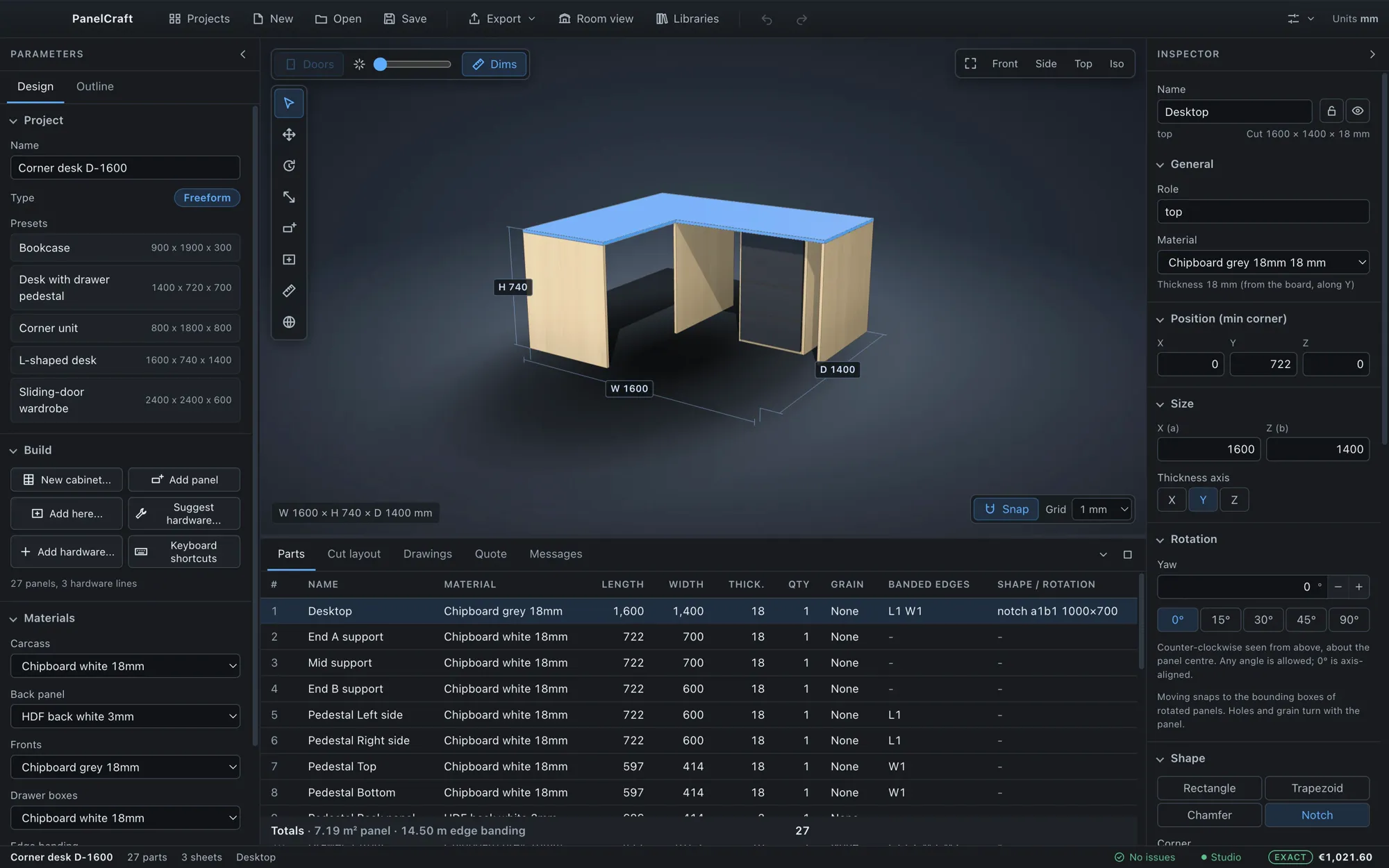
What PanelCraft is
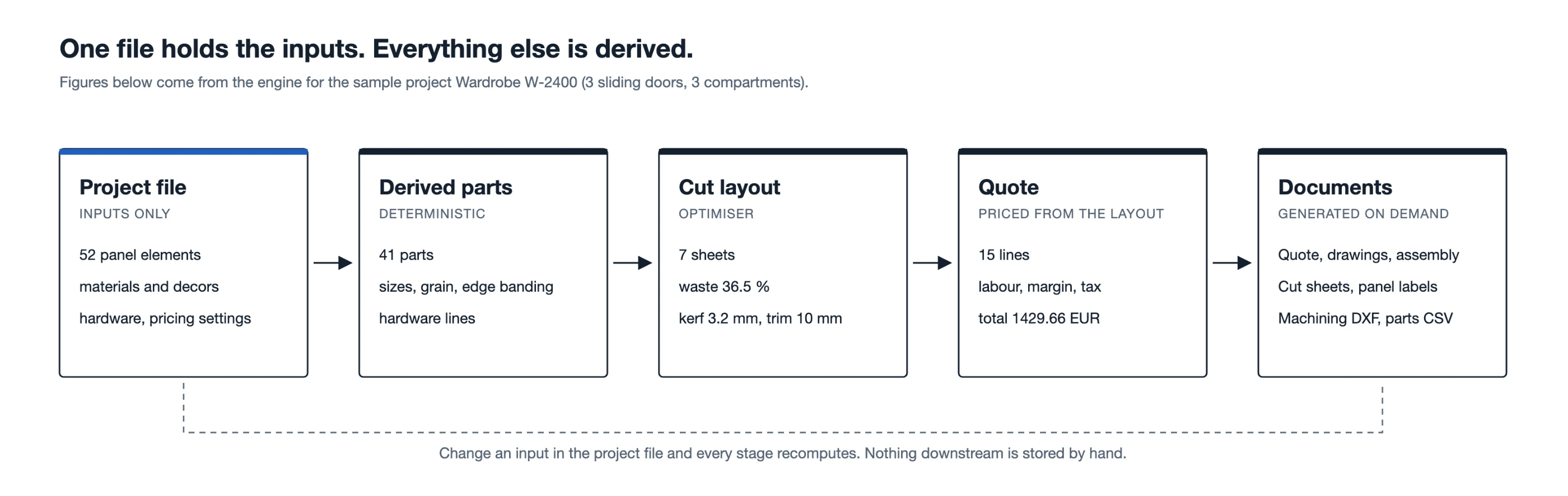
Panel furniture is designed in one tool, cut-listed in another and priced in a spreadsheet. Every hand-off is a place where a number can change without anyone noticing. PanelCraft replaces the chain with one model: free design is the foundation, and everything else, the parts, the cut layout, the price, the drawings and the machining data, is derived from it by one engine.
It is made for work that is not catalogue furniture: wardrobes in a room that is not square, a desk with a notch, a bookcase with a niche. Parametric wardrobes, TV units and chests of drawers are starting points, not limits, and any of them converts to freeform with one click.
Numbers that could be read two ways are flagged, not guessed. Estimates are shown as ranges until the cut layout is final. Everything runs on your computer, and projects are files you own.
See the whole chain run on one job
The recording shows a real job. A wardrobe is made 300 mm narrower, the decor is changed from oak to walnut, and the parts table, the cut layout and the quote follow. The price in the status bar moves with the design. Then the workshop pack is exported, and its eight files are reported as written.
It is the application itself running a sample project, with no mock-up.
The chain, in six steps
Each step reads what the one before produced. Change the design at any point and every later step follows.
Draw
Start from a preset or an empty project and build the piece panel by panel.
TakesDimensions or panelsGivesParts list
Choose boards
Assign boards, edge banding, decors and hardware from your libraries.
TakesYour libraries and pricesGivesPriced parts
Cut
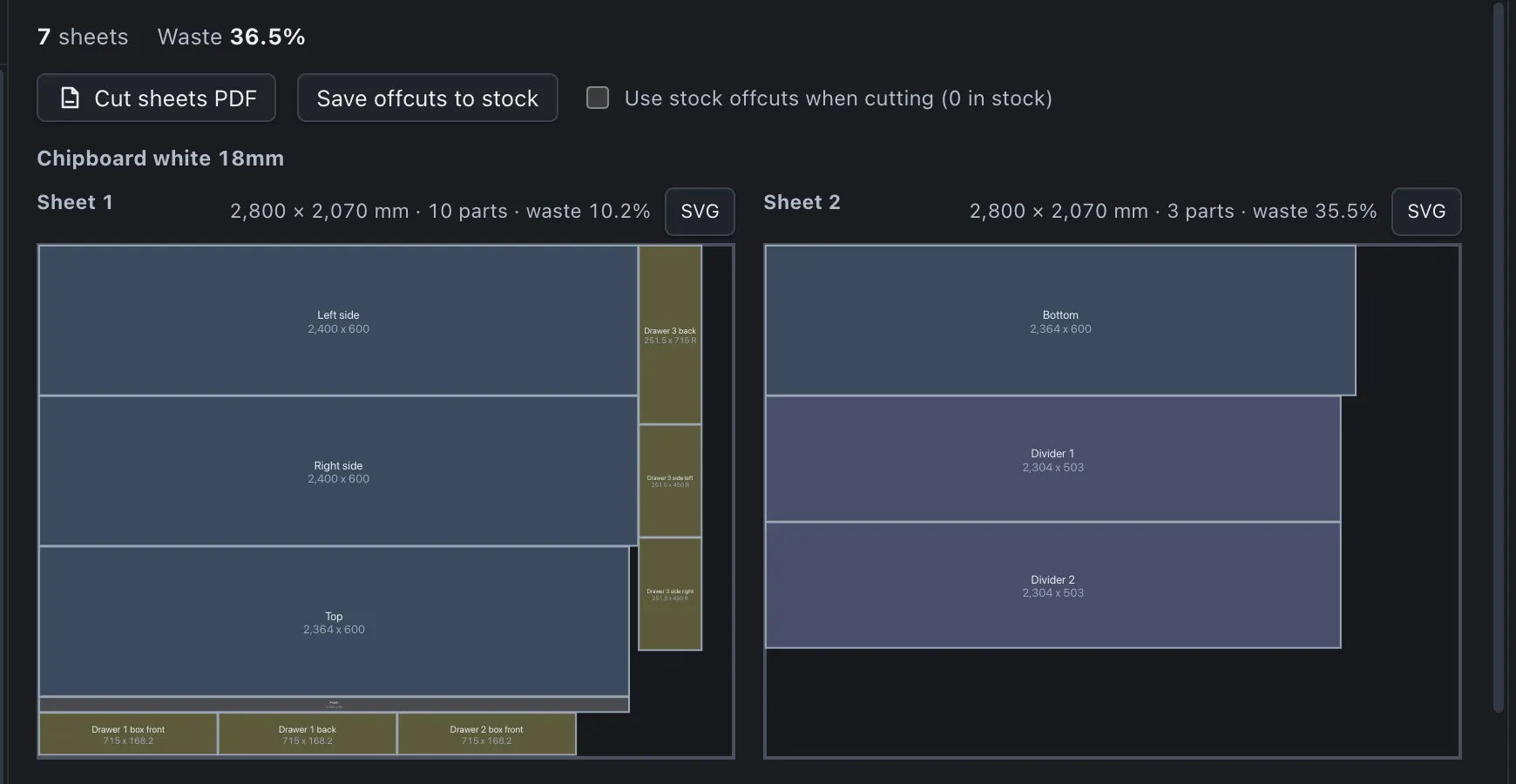
The optimiser nests parts per board in a background worker as you edit.
TakesParts, kerf, trim, grain, offcut stockGivesSheet layouts
Quote
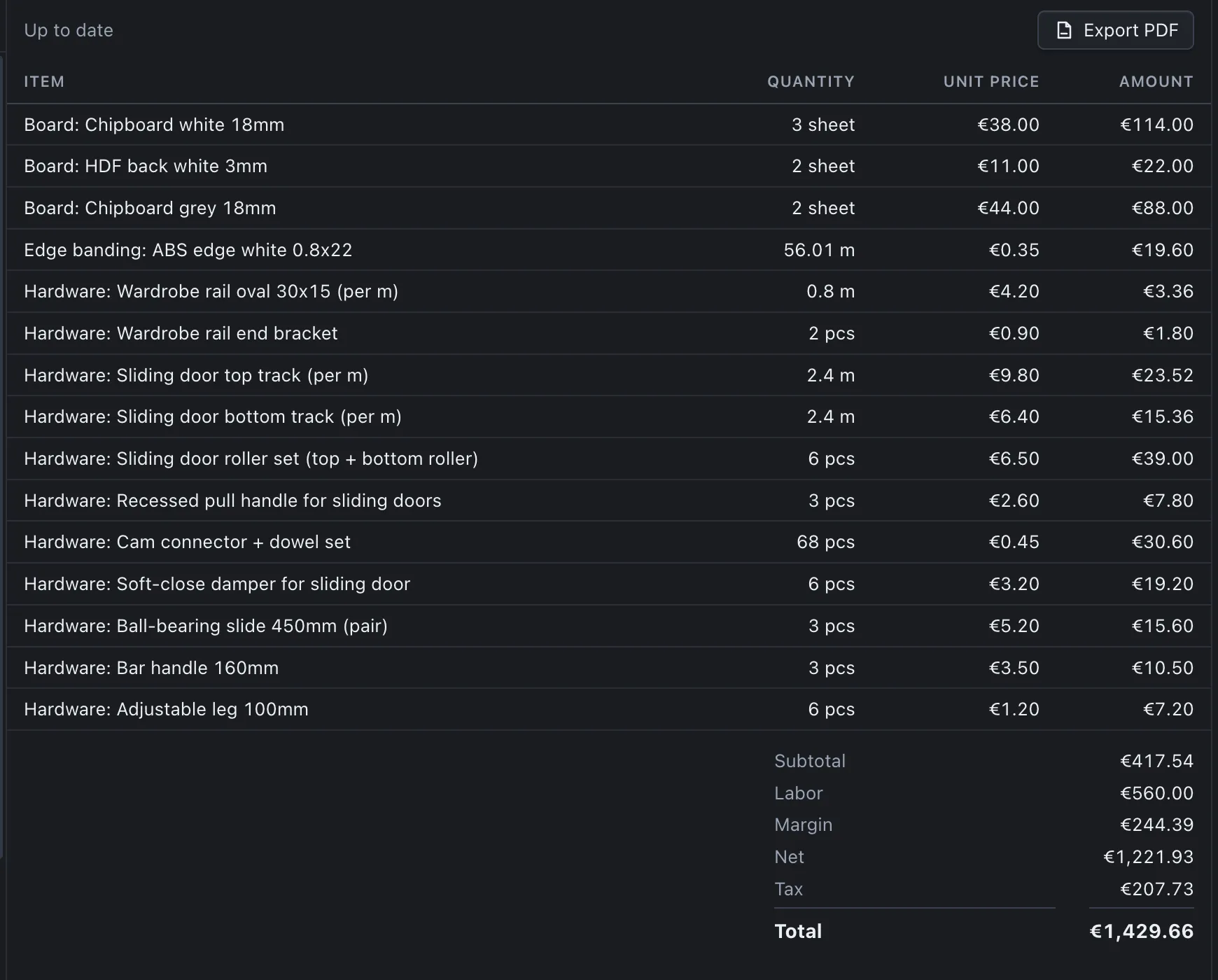
Boards, banding and hardware from the layout, then labour, margin and tax.
TakesCut layout, rates, price listGivesQuote and PDF
Document
Drawings, labels, assembly sheet and cut sheets in your document language.
TakesThe designGivesWorkshop pack
Machine and present
Export DXF and CSV for the sheets, or place the piece in the customer’s photo.
TakesSheet layouts, a photographGivesDXF, CSV, room view
Three ways workshops use it
The same program serves a one-person workshop and a shop with an office. Pick the path that looks like your day.
Joinery shops and cabinet makers
You build one-off pieces and need the cut list and the price before the order goes out.
- Freeform design with shaped parts
- Nesting with your kerf, trim and grain
- A quote you can defend line by line
Kitchen and wardrobe makers
You repeat similar cabinets with different sizes and want the same result every time.
- Parametric wardrobes, TV units and drawers
- Sliding doors and hardware rules
- Hinge cups and shelf-pin holes as DXF
Small workshops and designers who quote
You sell the design and hand the making to a cutting service or a partner workshop.
- Room view in the customer’s photo
- PDF quotes in the client’s language
- Neutral DXF and CSV for any cutting service
PanelCraft at a glance
The facts most people check first.
| Item | Detail |
|---|---|
| Platforms | Windows and macOS; one licence per user |
| Languages | English, Bosnian/Croatian/Serbian, German, French, Italian, Spanish; interface and documents set separately |
| Design | Parametric wardrobe, TV unit, chest of drawers; freeform panels with rotation, shapes, arrays and mirrors |
| Cutting | Guillotine nesting, kerf, trim, grain, alternate sheet sizes, offcut stock |
| Pricing | Live estimate range, exact quote, supplier CSV price lists, client records |
| Outputs | PDF, CSV, DXF R12, SVG and an eight-file workshop pack |
| Data | Local files and a local database; works offline; nothing is uploaded |
| Plans | Basic EUR 19, Pro EUR 39, Studio EUR 79 per month; yearly at ten times the monthly price |
| Trial | 14 days with every Studio feature, no payment details needed |
The program in pictures


Run your next job through PanelCraft
Download PanelCraft for Windows or macOS and run a real job through it, from drawing to quote. The 14-day trial includes every Studio feature.
Questions first? Write to hello@panelcraft.store or see the FAQ.