A quote you can defend line by line
Estimate and exact quote: Pro and Studio. Basic includes the parts list and cutting.
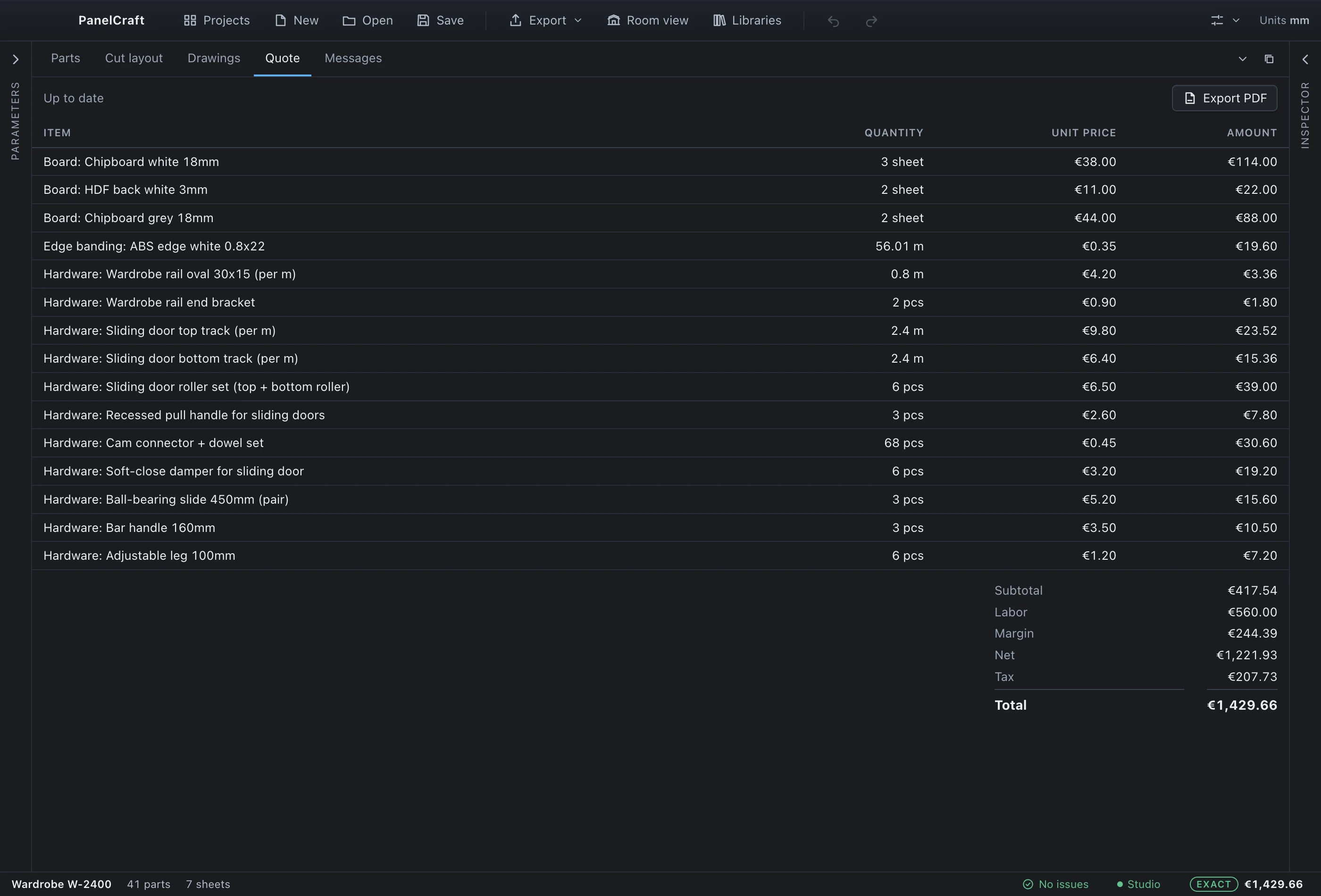
In PanelCraft the price is derived from the design. Boards are priced from the sheets the cut layout actually uses, edge banding from the true edge lengths, hardware from the parts that need it. Labour, margin and tax follow in a fixed order, and the PDF quote prints the same lines you see on screen.
A live price while you design
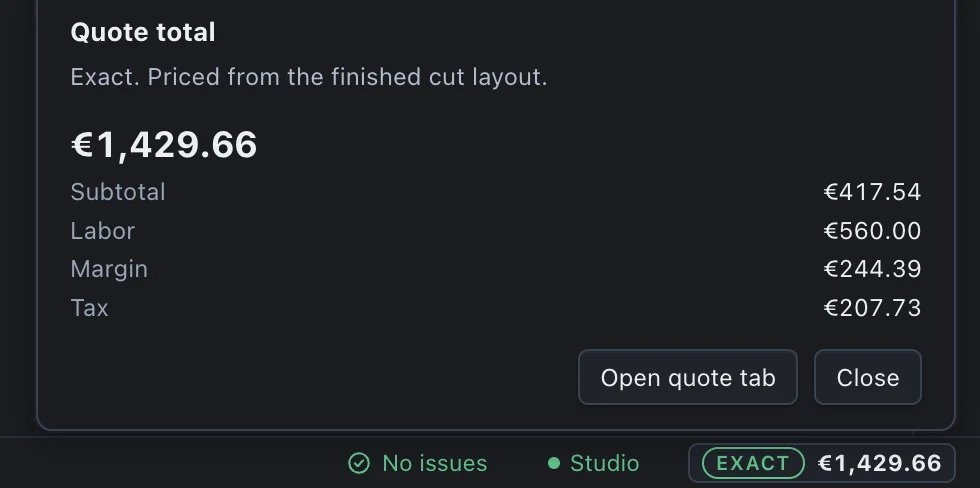
The status bar always shows one price chip. While the cut layout is still being computed, the chip shows an estimate range with an Estimate tag. When the cut layout belongs to the current design, it switches to the exact quote total with an Exact tag. A dash appears only when the design has errors.
Clicking the chip opens a breakdown: sheets per board with a range for each line, subtotal, labour, margin and tax, the assumptions the range rests on, the date of your price list, and any warnings with suggested fixes.
Prices update about 150 ms after your last change, and at least every 600 ms during a long drag, never on every frame; the previous value is shown dimmed while the new one is computed.
Estimate and exact, explained
The estimate is cheap enough to follow every edit because it does not run the cutting optimiser. It counts the used area per material, adds a waste allowance (20 % by default, editable under Pricing), and rounds up to whole sheets, which is how sheets are bought. Edge banding, hardware, labour, margin and tax use exactly the same rules as the quote, so those lines match it to the cent.
The range is bounded honestly. The low end assumes zero waste, which is a true lower bound because no layout can use fewer sheets. The high end assumes more waste than the default. The exact quote is always inside the range, and it uses neither allowance.
We measured the gap. Across 368 generated projects and four common sheet sizes, the exact total fell inside the estimated range in 361 cases, never below the low end, and the mean error of the point estimate was between 0.3 % and 1.2 %. The misses were tall wardrobes cut from small sheets, where one extra sheet changes the board line.
| Sheet size | Projects | Exact inside range | Mean error |
|---|---|---|---|
| 2800 × 2070 | 95 | 95 | 0.3 % |
| 2440 × 1220 | 86 | 82 | 1.2 % |
| 2750 × 1830 | 94 | 93 | 0.6 % |
| 3050 × 1310 | 93 | 91 | 1.0 % |
The pricing rules, written down
Quote lines come in a fixed order: boards, edge banding, hardware. Boards are the sheets the cut layout uses times the price per sheet, per material, each sheet at its own price when alternate sizes are used; sheets taken from offcut stock cost nothing. Edge banding is the sum of edge lengths times quantity plus 5 %, one line per banding type. Hardware is aggregated by item, in pieces or by the metre.
After the lines come the totals. The subtotal is boards plus banding plus hardware. Labour is hours times rate. Margin is a percentage of subtotal plus labour. Tax is a percentage of the taxable amount. Every line, subtotal, labour, margin, taxable amount, tax and total is rounded half-up to two decimals in sequence, so a total can always be reproduced from the lines.
Labour hours and rate, margin, tax and waste allowance are project settings under Pricing. They default to 16 hours at 35, 25 % margin and 17 % tax, and you change them to suit your shop.
| Step | Rule |
|---|---|
| Subtotal | Boards + edge banding + hardware |
| Labour | Hours × hourly rate |
| Margin | (Subtotal + labour) × margin % |
| Taxable | Subtotal + labour + margin |
| Tax | Taxable × tax % |
| Total | Taxable + tax |
Price lists, reviewed before they apply
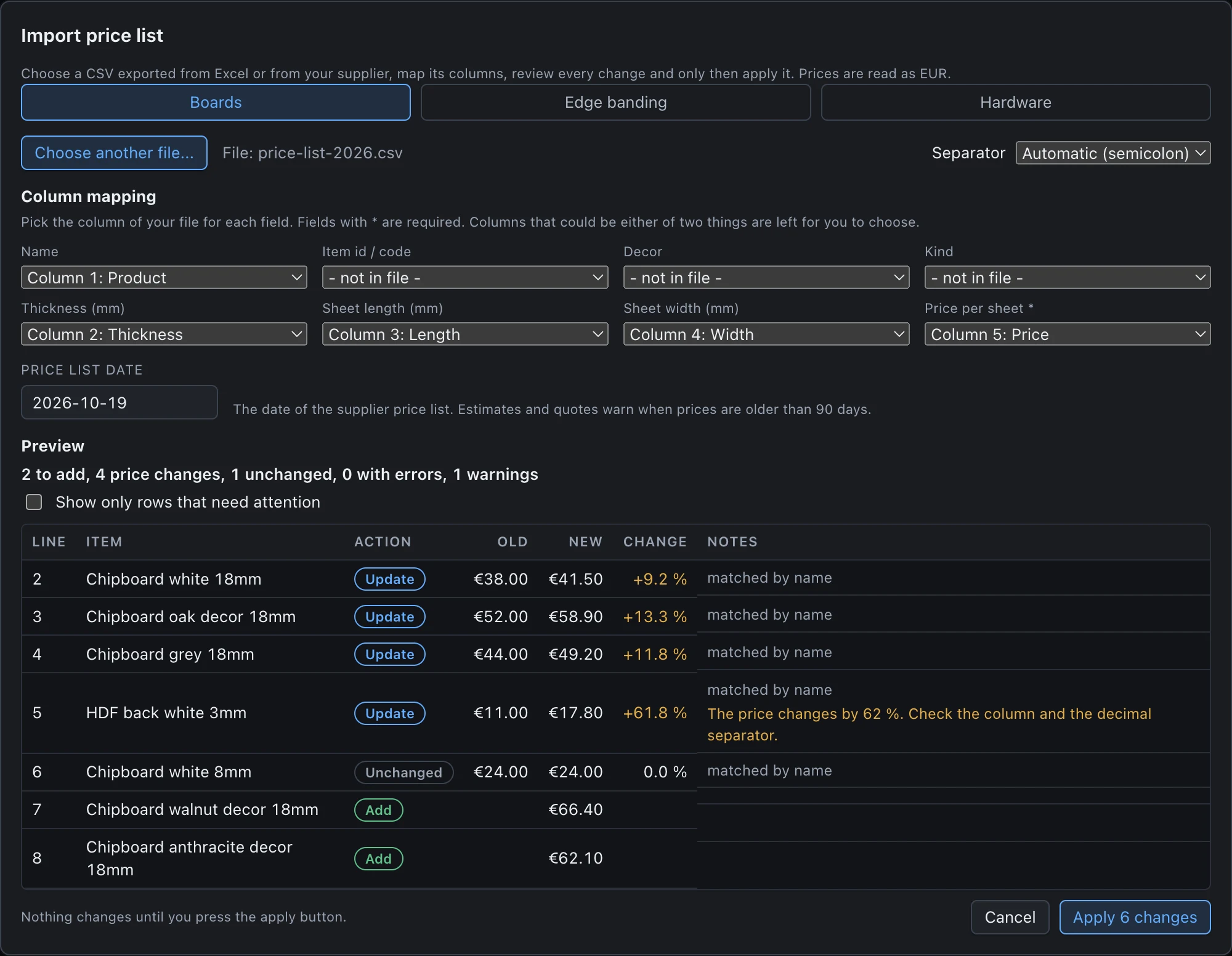
Import a supplier list as CSV from the Libraries dialog. PanelCraft detects the separator (semicolon, comma or tab), reads currency suffixes and both 1.234,50 and 1,234.50, and lets you map the columns: name, id, decor, kind, thickness, sheet length and width, price, category and unit. English, Bosnian and German headers are recognised, and a field is pre-selected only when exactly one header fits.
A preview lists every row as Add, Update, Unchanged or Skipped, with the old and new price, the percentage change and notes. Rows with errors are skipped and explained. Price changes over 50 %, prices of zero and names that had to be shortened are flagged as warnings.
Numbers that could be read two ways are never guessed. 2.800 could be 2.8 or 2800, so the row is rejected with both readings shown. Nothing changes until you confirm; the new library is written to disk first and only then swapped in, so a failed write changes nothing.
Gaps are flagged, never hidden
If a part could not be placed on a sheet, the quote says it is incomplete and too low, and the interface does not present it as final. A missing library entry becomes a line at zero with a clear label, and a used price that is not a sensible number is reported instead of being used silently.
The price list carries a date. When it is older than 90 days the quote warns you, and when no date is known the popover says so. The warning count appears on the status bar, so you see it before you send anything to a client.
- Unplaced parts
- Error: the quote is incomplete and too low. Names the count and the first parts.
- Missing entries
- A board, edge banding or hardware id that is not in the library gives a zero line, labelled.
- Invalid inputs
- Labour, margin, tax or waste values that are not numbers are treated as zero and reported.
- Old prices
- A price list older than 90 days adds a warning to the estimate and the quote.
Clients, quote numbers and status
The Projects view keeps your jobs in one place: search, status chips, the client a project belongs to, and each project’s quote number, validity in days and total. Client records are stored in a local database on your computer.
A quote is a draft while the design changes, and the draft follows every save. When you mark it sent, accepted or rejected, the total and a snapshot of the lines are frozen and the PDF prints the snapshot, so a quote you sent last month does not change when you later edit the design or the price list.
Duplicating a project copies the file with a new id and opens a new draft with a new quote number, which is the quick way to quote a variation.
- Client records
- Name and contact details, linked to projects.
- Quote status
- Draft, sent, accepted or rejected.
- Frozen snapshot
- Sent quotes keep their lines and total.
- Plans
- Clients and quotes are part of Pro and Studio.
The PDF quote
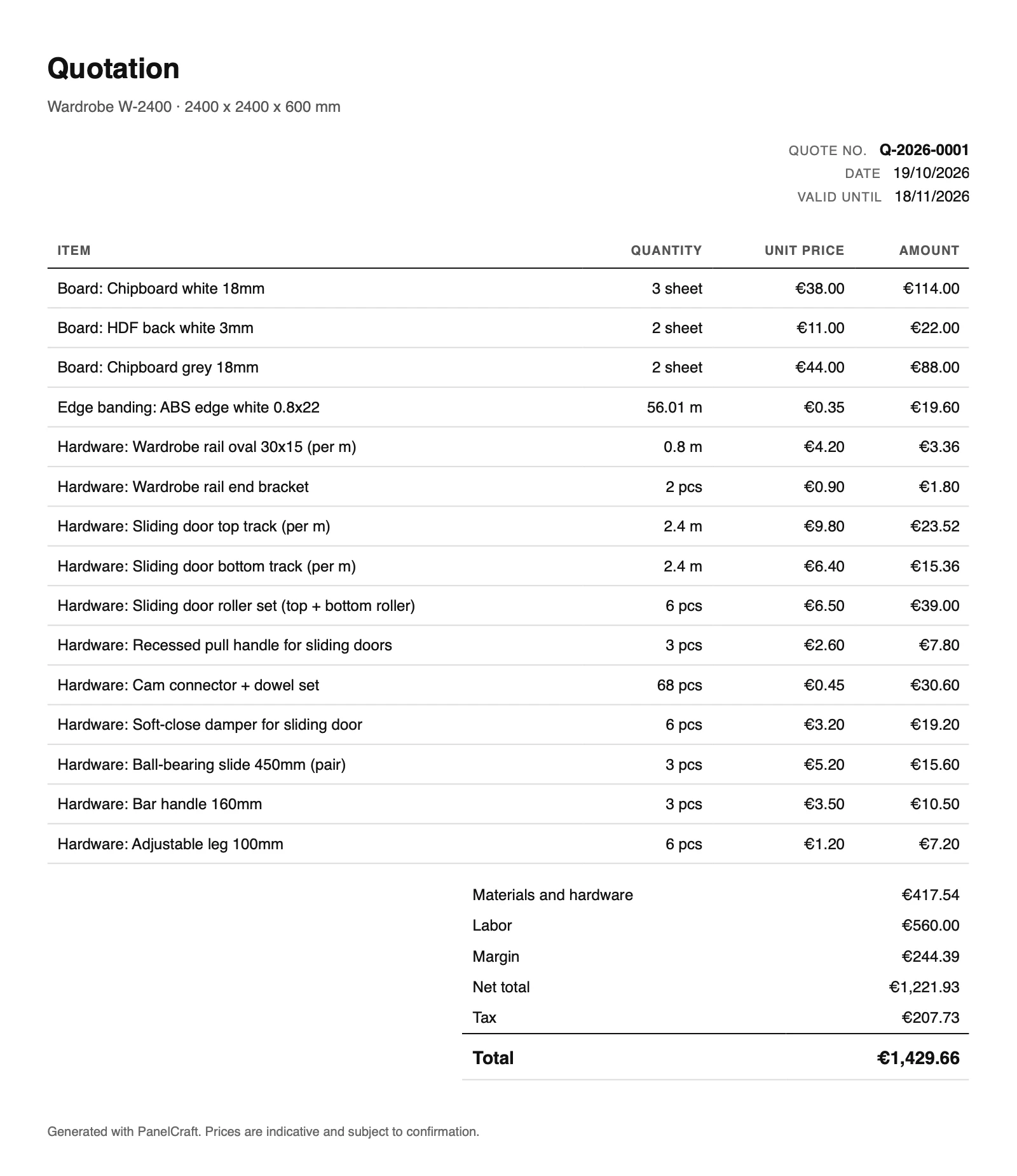
The quote PDF prints a client block, the quote number, the date, a valid-until date, your notes, every priced line with quantity, unit price and amount, then net total, tax and total. It is printed in the document language you choose, which is set separately from the interface language, so a workshop working in Bosnian can print a quote in German or English.
Quantities that are sold by the metre print their unit (2.4 m). PDFs are produced in a hidden, script-free window with no network access, and the text you typed is escaped before it is printed.
Quote your next job from the design
Download PanelCraft for Windows or macOS and run a real job through it, from drawing to quote. The 14-day trial includes every Studio feature.
Questions first? Write to hello@panelcraft.store or see the FAQ.